
Technology Services
Maybe you have a practical task, like printing a letter. Maybe you need advice on a complex project or want to pursue a course of study to increase your tech skills. The library has many free and low-cost technology tools, and staff members will help you find the resources you need to achieve your goals.
Public Technology at the Library
Free WiFi is available throughout the building and outside, near the library entrances.
Network: Brooks Public (no password required)
There are six general-purpose Microsoft Windows computers and two Mac desktop computers on the first floor/mezzanine. They are available on a first-come, first-served basis. No library card or special sign-in is required.
Windows laptops are available to library cardholders for use in the library only. Please request a laptop at the circulation desk.
All three functions are handled by one machine on the first floor. You might have questions. We’re happy to help!
Printing from the library’s desktop computers
- Paper sizes: letter, legal, ledger
- Printing costs (cash only): black & white is $.15 per printed side, color $.25 per printed side. Higher prices for larger paper.
All prints go to a queue on the laptop next to the printer. Locate your print job in the queue and insert coins or bills in the vend box to print.
The printer defaults to double-sided, but you can change the default (we’re happy to help).
Printing from your own device or a library laptop
This option is limited, but you can print an email attachment in PDF or image format by sending it to brooksprinter@brattleboro.gov (for black & white) or brookscolorprinter@brattleboro.gov (for color). Your attachment will show up in the queue on the laptop next to the printer (see details on that above).
Emails, Word documents, and other formats must be converted to PDF before emailing. For more flexibility in print options, they can be printed directly from library desktop computers.
Photocopying
- Paper sizes: letter, legal, ledger
- Printing costs (cash only): black & white is $.15 per printed side, color $.25 per printed side. Higher prices for larger paper.
Place original on the glass, or use the document feeder for quick printing of multiple pages when they are all the same size.
Scanning
Scanning to your flash drive or email is free.
Send faxes for free! Domestic numbers only. Sorry, we cannot receive faxes.
Slide and Photo Scanner
Digitize photos, slides or film negatives. Available in our small study Room C on the mezzanine. Book a time in Room C with our online room reservation system, or ask at the circulation desk.
Kindle eReaders
Each of our Kindles are preloaded with various titles, and can be borrowed for two weeks. For more information, see a staff member at the Circulation desk.
LCD Projector and Screen
With your library card, you can borrow our LCD projector and portable screen for up to three days. Contact the circulation desk if you would like to reserve for a specific date.
USB Cassette Tape Converter
Digitize your audio cassette tapes with this converter, which you can borrow for two weeks. It connects to your computer via USB. Or bring a tape to the library and use it with one of our public access computers.
Find Help and Develop Your Tech Skills
Quick help at the service desks
Please inquire at the Help Desk or Circulation Desk for help with these and related tasks:
- printing, copying, scanning, & faxing
- basic document formatting
- use of library apps like Libby, Palace, and Kanopy
- creating an email account
- filling out online forms
Thank you for your patience when the library is busy!
In-depth help from the Electronic Services Specialist
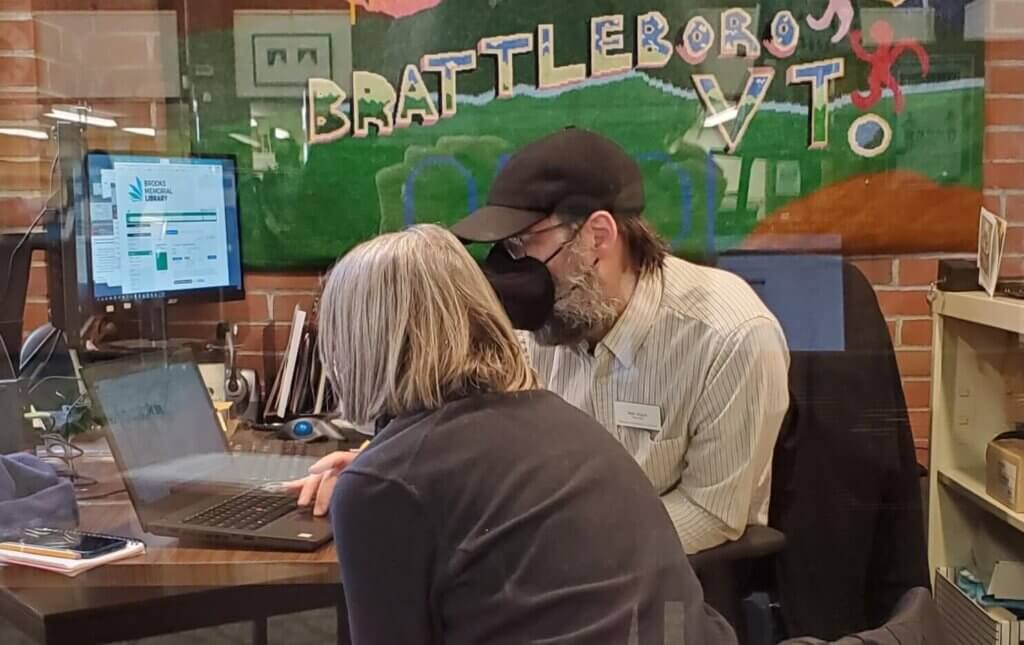
Electronic Services Specialist (ESS) Matthew Wojcik meets with members of the public by appointment.
Explore the features of your mobile device, discover details about familiar online services, learn what a pdf is and why you should care, brainstorm tech solutions for your micro business or creative project…these are examples of ESS topics. What are your technology needs?
Request a Technology Appointment
Appointments with Matt are available in half-hour and full-hour increments. They are in demand and must be arranged ahead of time.
To request an appointment:
ess@brookslibraryvt.org
or 802-254-5290, ext. 0
Study and explore tech on your own
Udemy Video Learning
FREE with your library card!
Udemy, on the library’s Online Learning page, offers a huge collection of recent, self-paced video training in technology-related topics for all skill levels, from absolute beginners to skilled programmers and IT specialists. Through support from the Vermont Department of Libraries, it’s free with your library card.

A couple Udemy favorites for computer beginners


Books
The 050 section on the mezzanine offers books on computers and related technologies for readers with varied technology skills.
 Many technology enhancements and services are supported by the Friends of Brooks Memorial Library.
FEATURED EVENTS
Aug


“Antique dial telephone” by quinet is licensed under CC BY 2.0.